The longest RFQ form is not necessarily the most useful one. A field can be technically relevant and still be premature for the person filling it out. Buyers with approved drawings know things that early-stage prospects do not; treating both groups identically creates friction and can leave your estimating team with the wrong information anyway.
RFQ form best practices begin with a deceptively simple question: what decision must happen after submission? Once that is clear, you can choose fields, upload requirements, instructions, and confirmation messages that support the handoff.
The objective is not to collect everything. It is to collect enough, at the right moment, to move a legitimate industrial inquiry forward.
Decide which request the form is meant to handle
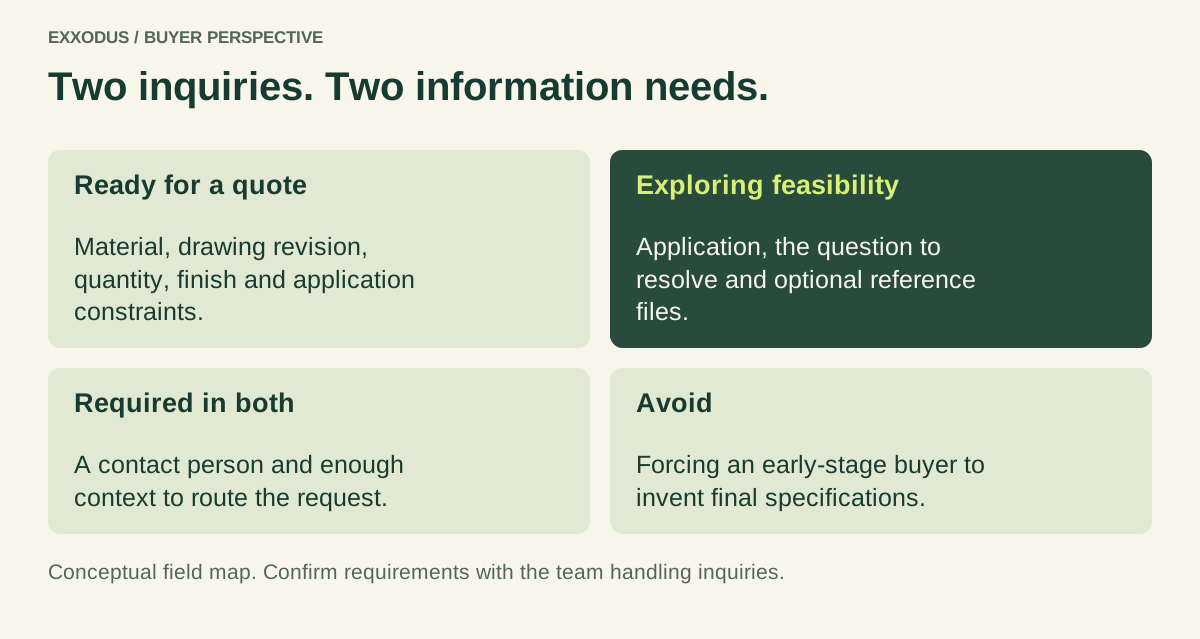
A buyer with approved specifications needs a different path from someone asking whether an application is feasible. Treating both as identical requests either overwhelms early-stage prospects or leaves estimators without necessary information. Define a quote-ready path and a feasibility-discussion path before adding fields.
A quote-ready request may need drawings, quantities, materials, target dates, and relevant standards. An exploratory request may need application, approximate scope, and a way to contact the person.
State what each path is for and what happens after submission. Buyers should not have to guess whether a preliminary question counts as a legitimate inquiry.
Ask for information your team will actually use
Review recent RFQs with estimating, engineering, and sales. Which missing details consistently delay assessment? Which requested fields are ignored?
If a field does not support routing, qualification, feasibility, or the next conversation, consider removing it. A short form is not automatically a good form; a form that gathers the right information at the right time is.
For a custom fabrication RFQ, material, drawing revision, estimated quantity, finish, and application constraints may matter. For packaging, format, product use, run quantities, artwork status, and material requirements may matter. Do not copy a generic field list without checking what your operation needs.
Make required and optional fields unmistakable
Baymard’s usability research on checkout and other complex forms found confusion when required and optional fields were not clearly marked. Those findings are not a controlled study of manufacturing RFQs, but the underlying lesson is sensible: users should not have to infer which information they must provide. Label required and optional fields explicitly, especially in longer forms.
Avoid asking for a precise annual spend when the buyer may not know it. If a field is optional, say so.
If you need an estimate, explain the acceptable format. Use examples such as “Approximate annual volume (optional)” rather than unexplained labels like “Forecast.”
Make drawing uploads predictable
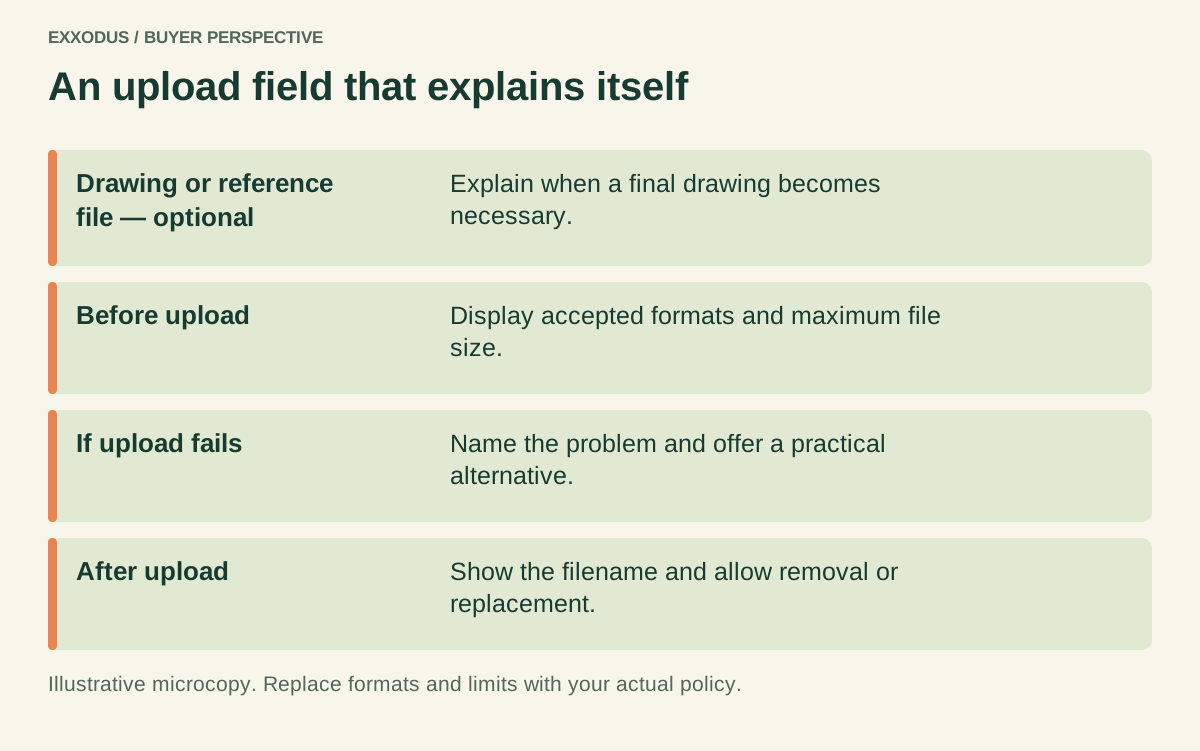
Technical buyers may need to attach PDFs, CAD files, specifications, or reference images. State accepted file types, size limits, and whether multiple files can be uploaded. Provide a clear error if a file fails, and do not silently discard attachments while reporting a successful submission.
Consider sensitive drawings. Explain how files are received and handled, using only policies your company actually follows.
If an NDA is required before detailed information can be exchanged, provide an alternative contact path. Never imply that a generic form guarantees confidentiality beyond your documented process.
Explain what happens after the button
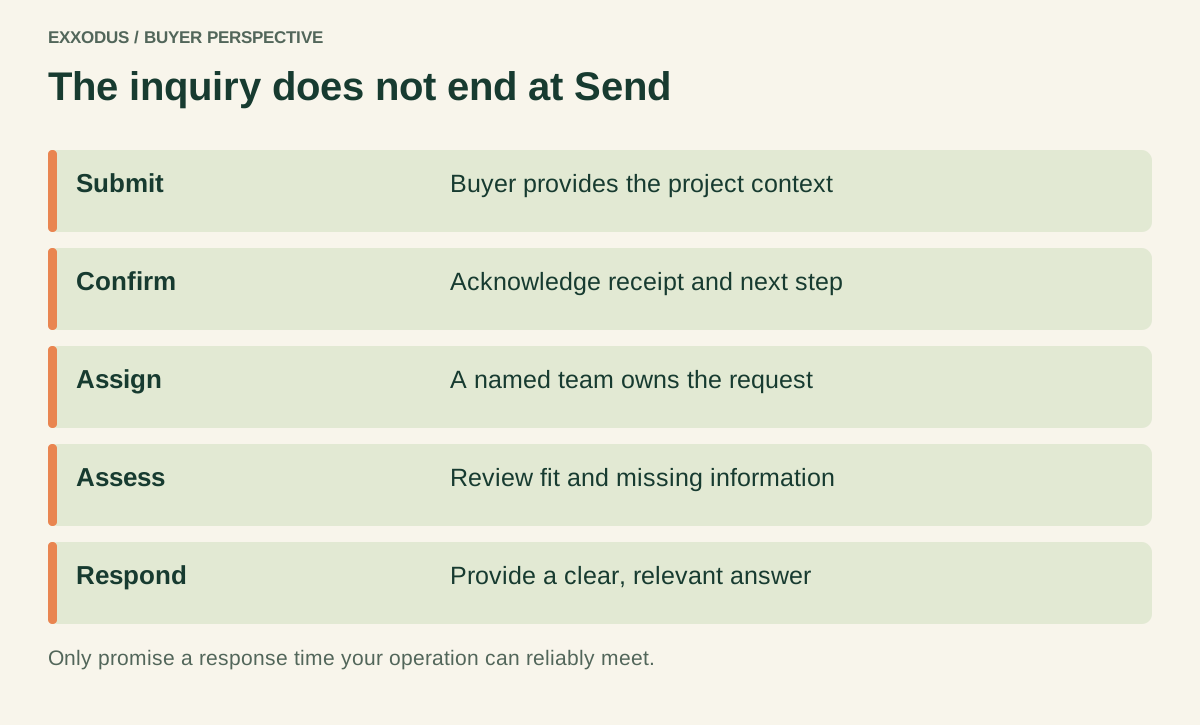
“Submit” tells the buyer what they do, not what your team does. A useful quote page can say who reviews requests, whether an initial feasibility screen occurs, and what information might be requested next. Give a response-time expectation only if the team can consistently meet it.
The confirmation page should repeat the next step, provide a reference number if available, and give a route for correcting an attachment or detail. Send an acknowledgment to the buyer and route the submission to an accountable internal owner. A form that accepts requests into an unmonitored inbox is an expensive suggestion box.
Use conditional questions with restraint
A packaging supplier may ask different technical questions for pouches and labels. A machinery company may need separate questions for new equipment and retrofits. Conditional fields can reduce irrelevant work, but complicated branching can also hide critical questions or break on mobile.
Test each branch with real examples. Ensure a buyer can change the selected request type without losing everything already entered.
Keep essential context visible. The goal is a smoother intake, not a miniature ERP implementation in the browser.
Design the page around confidence, not just conversion
The page surrounding the form should identify what you quote, typical applications, any meaningful eligibility constraints, and the documentation needed. A buyer should understand whether the project belongs here before entering company details.
If you have minimum-order conditions or geographic limitations, explain them accurately. Do not hide exclusions until after submission. A high conversion rate is not useful if estimating spends every morning rejecting inquiries that the page could have screened out politely.
Test the entire experience on a phone
Open the quote page on an actual mobile device. Try a long company name, a pasted email address, an incorrect file type, a large attachment, a required field left blank, and a slow connection. Confirm that the error message points to the problem without deleting other entries.
Test the confirmation email and internal routing, too. If the user receives “Thank you” but the salesperson never sees the drawing, your analytics may count a conversion while the buyer experiences silence. Run periodic end-to-end tests after website updates.
Measure qualified inquiries, not just form completions
Track submission rate alongside suitability, completeness, first-response time, feasibility decisions, quote production, and eventual opportunity quality. Review abandoned or incomplete forms where privacy-respecting analytics allow. Ask the sales team which missing fields cause repeat follow-up.
A hypothetical comparison: one form produces 60 requests with 12 suitable opportunities, another produces 40 with 18. The second may be more valuable even with fewer submissions.
But follow the opportunities through the sales cycle before declaring victory. The metric should reflect the business decision, not the attractiveness of a dashboard.
A practical field map for two request types
For a quote-ready project, start with company, contact, application or part description, estimated quantity, requested timing, and attachments. Add industry-specific fields only when they materially change feasibility or estimation.
Mark what is required. If drawings are mandatory for a formal quote, say so before the buyer begins.
For a feasibility inquiry, keep the first step lighter: company, contact, application, the question to resolve, and optional reference files. Explain that a formal quote may require additional specifications. This distinction prevents an early-stage buyer from inventing values just to pass validation.
Write the microcopy as carefully as the headline
Compare “Quantity” with “Estimated order quantity (enter a range if exact volume is not yet known).” Compare “Upload” with “Attach drawings or specifications (PDF; maximum file size shown here).” Compare “Message” with “What does the part need to do, and which requirements are fixed?”
These examples reduce guesswork without promising a specific file limit or review time. The actual form must display the real technical constraints of its implementation. Microcopy is not decoration: it is the instruction manual the buyer sees at the moment they need it.
A ten-minute RFQ usability test
Ask a colleague unfamiliar with the form to submit a fictional but plausible request. Give them a basic application description and one attachment.
Do not coach them. Watch where they hesitate, which labels they misunderstand, and whether they know what happens next.
Repeat with a mobile device and with someone representing a different stage of readiness. Check whether the internal team receives the correct information.
Record issues, prioritize failures that block completion, and retest after changes. A short test can expose problems that a meeting about button colors will never find.
What an RFQ confirmation should actually say
A good confirmation is specific without inventing certainty. It can acknowledge that the request was received, summarize the type of request, explain which team will review it, and state that additional technical details may be necessary.
If the company has a documented response standard, include it. Otherwise avoid promising a 24-hour quote that engineering cannot deliver.
The internal notification matters just as much. It should include a usable subject line, the project type, key specifications, a safe link to any files, and the assigned owner.
If the submission is incomplete, the follow-up should ask for the missing information in a single organized message. The buyer should not discover over four emails that three different departments each needed one more field.
The quote page checklist before launch
Confirm the form distinguishes exploratory inquiries from quote-ready requests. Confirm the fields match what estimators use. Confirm accepted file formats and actual upload limits appear before submission.
Confirm required and optional labels, validation errors, and privacy language are accurate. Confirm a real person owns incoming requests.
Finally, submit a test from a phone and trace it to the intended team. Ask the recipient whether the information supports a useful first response.
If the answer is no, the form is not finished, regardless of how attractive the page looks. The best request for quote form best practices are operational: buyer clarity and dependable internal follow-through.
Frequently asked questions
How many fields should a manufacturing RFQ form have?
Enough to support the intended stage of evaluation, but no more. Review each field with the team that uses the information.
Should a quote form require file uploads?
Only when files are essential to the requested assessment. Offer an exploratory path for buyers who do not yet have final documents.
What is the best CTA for an RFQ page?
A clear action label such as “Submit RFQ” or “Request feasibility review,” paired with an accurate explanation of what happens next.
Give the buyer something useful to work with
A buyer willing to describe a project has already done meaningful work. Respect that effort.
Ask for the information your team needs, make technical attachments reliable, and follow through on the promise the page makes. Exxodus reviews industrial inquiry pages as part of communication audits, including whether the language and handoff make sense to a real buyer.
Sources and further reading
[1] Baymard Institute, “E-Commerce Checkouts Need to Mark Both Required Fields and Optional Fields Explicitly” (form usability findings; not an RFQ-specific study) ↗
[2] Baymard Institute, “Form Field Usability: Matching User Expectations” ↗
[3] Nielsen Norman Group, “B2B Usability” (older B2B usability research) ↗